


Shots - AI Photo & Video Maker
4.5913.00 Reviews
App Specs
- Version
- 1.7.7
- Updated On
- License
- Free
- Downloads
- 1,000,000+
- Developer
- DeePix AI Apps
- Categories
- Photography
- Platform
- Android
Screenshots
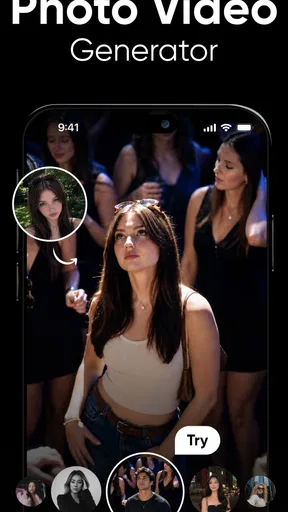
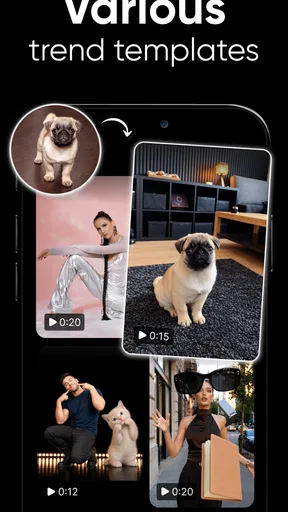
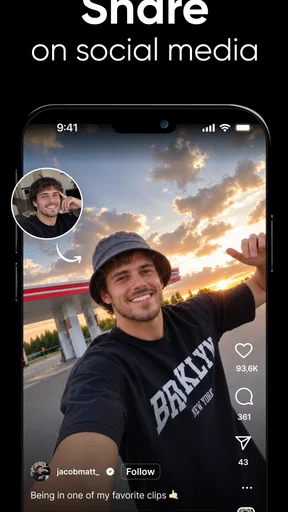
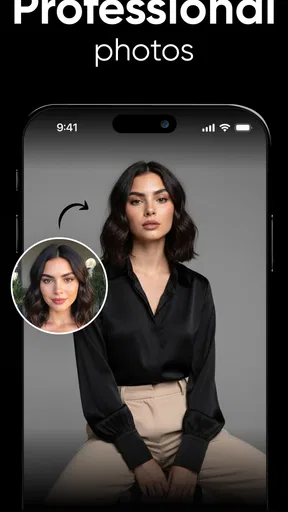
 Analysis by AppCompare
I often reach for a quick photo or video editor when I want to make a shared moment feel ready to send, without turning it into a whole editing project. Shots - AI Photo & Video Maker is aimed at that kind of casual creation, with AI-focused photo and video tools in a photography app. I found the appeal less about replacing a full editing suite and more about making a small, polished result with minimal fuss.
A shared phone, a shared creative moment
Picture a family gathering where several people have taken photos and short clips. Instead of passing around a complicated desktop workflow, one person can bring a selection together on a phone and make a short video to share with the group. Shots is suited to that quick, collaborative moment: its automatic video creation is designed to combine selected photos and videos with transitions and music, so you can make a keepsake without assembling every detail manually.
That convenience has a trade-off. The person making the video still chooses what goes in, so it is worth checking the selection before creating or sharing anything. For a household using one device, I’d keep the editing session intentional: decide whose images are being used, review the finished clip together, and save or share it only when everyone is comfortable. The app can help with the edit, but it does not replace that small bit of coordination.
Setting expectations before editing
Shots is free to download, with in-app purchases ranging from $0.99 to $79.99 per item. I would treat that as a reason to look carefully at any purchase prompt before tapping through, especially if more than one person uses the same phone or tablet. A free starting point is useful for trying the workflow, but it does not mean every option is necessarily included at no cost.
The practical boundary I’d set on a shared device is simple: the person who owns or manages the device should handle purchase decisions, while other users can ask before choosing anything that might cost money. This is not a claim about special family or account controls; it is a sensible habit for any app with optional purchases. It also helps prevent confusion when several people are taking turns and one person assumes the next tool is part of the free experience.
For a smoother session, choose the photos and clips before opening the editor rather than browsing through a large camera roll while everyone waits. A smaller, purposeful selection makes the automatic video tool easier to judge: you can see whether the transitions and music suit the moment without getting distracted by unrelated images. If the result feels too busy, try again with fewer items rather than expecting AI to know which memories matter most.
Getting Started with Shots
First things first, downloading and setting up Shots - AI Photo & Video Maker is a breeze. Whether you're on Android or iOS, the app installs quickly without any hiccups. Once you open it, you’re greeted with a sleek, user-friendly interface that makes navigation feel like a walk in the park. It’s pretty intuitive, so even if you’re not tech-savvy, you’ll find your way around in no time.
Worth Reading Before You Choose

Baby Panda World Brings Quick Play to Modern Phones, but Its Game Library Feels Busy

ESPN’s Live Game View Makes Following Close Games Easier

QuizzLand Review: A Good Fit for Short Trivia Breaks, Not Every Player

Basketball Stars: Multiplayer Is Fast, but Can It Recover When Matches Go Wrong?

WEBTOON Turns Phone Updates Into a Better Reading Routine

Link to Windows Runs on Shared Habits, Not Social Feeds
Features That Stand Out
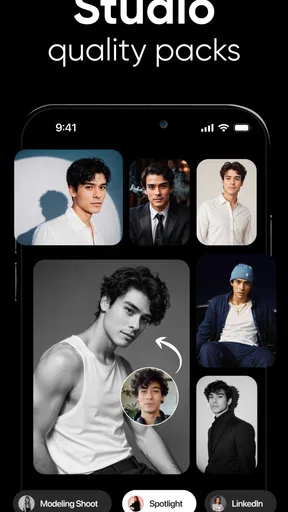
The app is packed with features that cater to both amateur photographers and seasoned pros. Let’s break down some of the standout functions that really caught my eye.
- AI-Driven Enhancements: The AI in this app is like having a mini Photoshop expert in your pocket. It automatically suggests edits that enhance the quality of your photos and videos. The smart adjustments it makes to lighting and colors are subtle yet impactful, giving your media a professional touch.
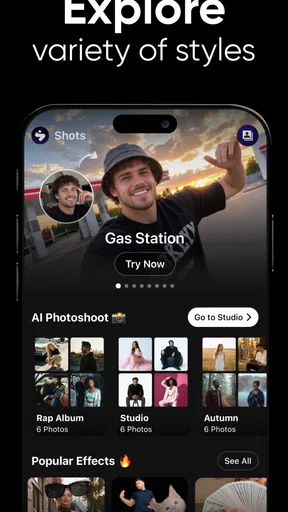
- Filters and Effects Galore: Love adding a bit of flair to your snaps? The variety of filters and effects available is impressive. Whether you’re going for a vintage look or something more modern, there’s something for everyone.
- Easy-to-Use Editing Tools: From cropping to adjusting brightness and contrast, the basic editing tools are straightforward and effective. Even if you’re a novice, you’ll feel like a pro in no time.
When a quick edit is better than a full editor
The useful comparison here is with the usual alternatives: a basic phone gallery editor and a more involved photo or video editing app. A gallery tool is often the fastest choice for one-off fixes, such as straightening a picture or changing brightness. A deeper editor is a better fit when you need precise control over timing, layers, or a carefully planned visual style. Shots sits between those approaches, combining simple adjustments with AI-led effects and quick video assembly.
That middle ground will suit someone who wants a social-ready result but does not want to learn a complex timeline. It is less compelling if your priority is exact control over every cut or a consistent professional look across a large set of images. I’d use it for a spontaneous birthday recap, a short collection of travel moments, or a fun edit for friends; for a client project or a video that needs exact pacing, I’d choose a more manual editor.
Creating Video Magic
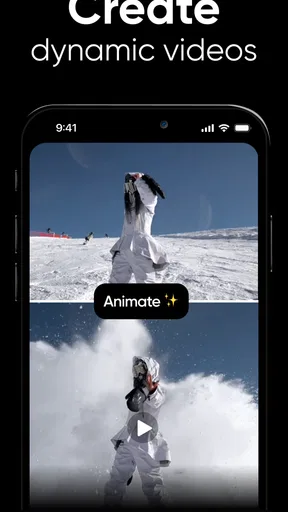
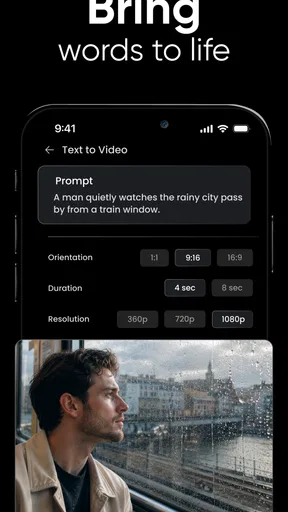
Now, let’s talk about video. Shots doesn’t just stop at photos; it steps up the game with its video editing capabilities. The AI suggests cuts and transitions that make your clips flow seamlessly. There’s also an option to add music from a decent library, which is a nice touch.
One of my favorite features is the automatic video creation tool. You can select a bunch of photos and videos, and the app creates a short film complete with transitions and music. It’s perfect for creating quick, shareable memories without spending hours editing.
A little coordination makes shared use easier
For a household, the best workflow is to agree on the purpose before editing. A private family recap and a public social post are not the same thing, even if they use the same clips. I’d ask before including someone else’s image, then review the finished version with the people featured in it. That is especially worthwhile when a child’s photo or a personal moment is involved.
The app is rated Teen, so adults should consider whether its content and creative tools are appropriate for younger users in their household. An age rating is a useful context clue, not a substitute for a parent’s judgment or a conversation about sharing. If a younger family member uses the device, I’d keep an eye on what they make and where they intend to post it, rather than assuming the app itself will manage those boundaries.
Sharing and Saving Your Creations
Once you’ve crafted your masterpiece, sharing it with the world is a snap. The app supports direct uploads to your favorite social media platforms, or you can save the high-quality versions directly to your device. It’s super convenient for those of us who love to share on the go.
Even with convenient sharing, I prefer to pause at the export stage. Check that the clip includes the right moments, that the music fits the audience, and that you are sending it to the intended place. Saving a copy to the device can be a better choice when you want to show a video to relatives privately or decide later whether it belongs on a social platform. The extra review takes little time and can prevent an impulsive post.
Who will get the most from it
Shots makes the most sense for people who enjoy experimenting with images, want quick AI-assisted changes, or regularly turn phone photos into short videos. Its average rating is 4.3 from around 2.9 thousand ratings, and it has more than 100 thousand installs. Those figures suggest that it has found an audience, but they do not tell me whether its particular editing style will suit your taste; the best test is to try a small project before relying on it for an important one.
The app is from DeePix AI Apps, and its current version is 1.6.9. It was released on July 21, 2025, and requires Android 9 or later. If you’re considering it for an older Android device, check that requirement first. For someone using a supported phone and looking for light, playful creation, the low-friction approach is the main draw. For a photographer who already has a preferred manual workflow, the AI-led suggestions may feel more like a shortcut than an upgrade.
The Verdict
So, what do I think of Shots - AI Photo & Video Maker? It’s a fantastic tool for anyone looking to enhance their photo and video game without diving into complex software. The AI features are particularly impressive, making it easy for anyone to produce high-quality content.
Overall, if you’re looking for an app that offers powerful editing tools in a user-friendly package, Shots is definitely worth a download. Give it a try, and you might just find yourself creating visual content like a pro!
My household verdict
I’d recommend Shots to a household that wants an easy way to make playful edits and short memory videos, provided everyone understands who is choosing images, approving purchases, and deciding where the result goes. It can make a shared-device creative session more enjoyable by taking some of the technical work off the editor’s hands, but it cannot make those decisions for the people using it.
Skip it if you need meticulous editing controls, want a strictly manual process, or are not comfortable checking optional purchases before using a free app. For everyone else, start with a small set of harmless images, try the automatic video workflow, and inspect the result before sharing. That gives you a fair sense of whether its quick, AI-assisted style fits your routine without making an important memory the first experiment.
Pros
- User-friendly interface for quick edits.
- Wide range of AI filters available.
- High-quality export options.
- Automatic scene detection for better results.
- Regular updates with new features.
Cons
- Occasional lag on older devices.
- In-app purchases can be pricey.
- Limited free features without subscription.
- Requires internet for full functionality.
- Large app size may take up storage space.
FAQs for Shots - AI Photo & Video Maker
What is Shots - AI Photo & Video Maker?
Shots - AI Photo & Video Maker is an innovative app designed for creating high-quality photos and videos using AI technology. It offers various features such as filters, effects, and editing tools that help users enhance their visual content effortlessly. The app is suitable for both casual users and content creators who want to improve their media quickly.
Is Shots - AI Photo & Video Maker free to use?
While Shots - AI Photo & Video Maker offers a free version with basic features, it also includes a premium subscription. The premium version unlocks advanced tools and additional content, such as exclusive filters and effects. Users can choose the option that best fits their needs, depending on how extensive they want their media editing capabilities to be.
What platforms support Shots - AI Photo & Video Maker?
Shots - AI Photo & Video Maker is available on both Android and iOS platforms. This ensures that a wide range of users can access its features regardless of their device preference. The app is regularly updated to ensure compatibility with the latest operating systems and to introduce new features.
How user-friendly is Shots - AI Photo & Video Maker?
The app is designed with user-friendliness in mind, featuring an intuitive interface that makes navigation simple for beginners and experienced users alike. It includes tutorials and guides to help users understand how to utilize its features effectively, ensuring a smooth and enjoyable editing experience.
What are some notable features of Shots - AI Photo & Video Maker?
Shots - AI Photo & Video Maker boasts a range of features, including AI-driven enhancements, customizable filters, and dynamic video effects. It also offers tools for adjusting lighting, contrast, and saturation, alongside options for adding text and music to videos. These features make it a comprehensive tool for anyone looking to elevate their visual content.


